 goui
goui
Chrome and Brave extension
goui
Different ear, different head, different sound.
goui runs the sound of one browser tab through a parametric EQ. AutoEQ gives a neutral baseline for your headphone. An eqbyear test tunes that baseline to your own hearing. The two stay apart as two layers, and Bass, Vocals and Treble go on top.
Free and open source, under the MIT licence. goui is not in the Chrome Web Store, so you add it by hand one time. It takes about two minutes.
A pick from the search goes into the layer chosen above. A headphone pick goes into the headphone layer unless you choose My ear.
The panel, live. Press Listen, Tune and Library, drag a point, or hold A/B. The curve uses the real filter math. The spectrum is a stand-in.
How it works
Two corrections, kept apart. One for the headphone, one for your ear.
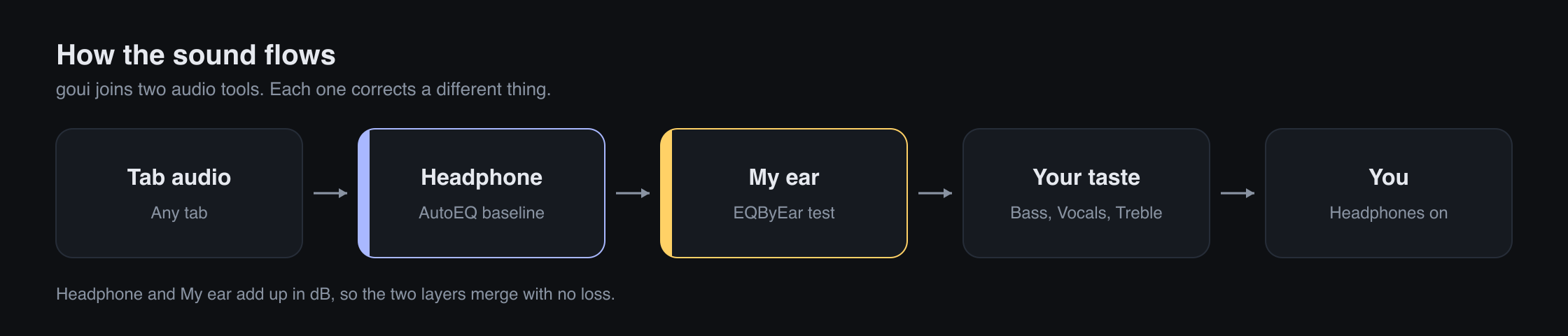
A headphone has its own colour. AutoEQ measures it and writes a profile that cancels it, so the headphone sounds neutral. That is the headphone layer.
Your hearing is your own too, and no profile can know it. An eqbyear test measures what your ear still wants on top of the neutral sound. That is the ear layer.
The two layers add up in dB, so the merge is exact. Bass, Vocals and Treble go on top as your taste. The preamp follows the largest boost, so the sound never clips. Each layer has its own switch, so you can hear AutoEQ alone in one press.
Install
Four steps, one time. No build, no account.
- Download the zip. Open the Releases page and press the newest zip. Unzip it.
-
Load the folder. Open
chrome://extensions, orbrave://extensions, turn on Developer mode, then press Load unpacked and pick the goui folder. - Pin goui. Click the puzzle piece in the toolbar and pin goui.
- Click the icon. Open a page with sound and click the goui icon on it.
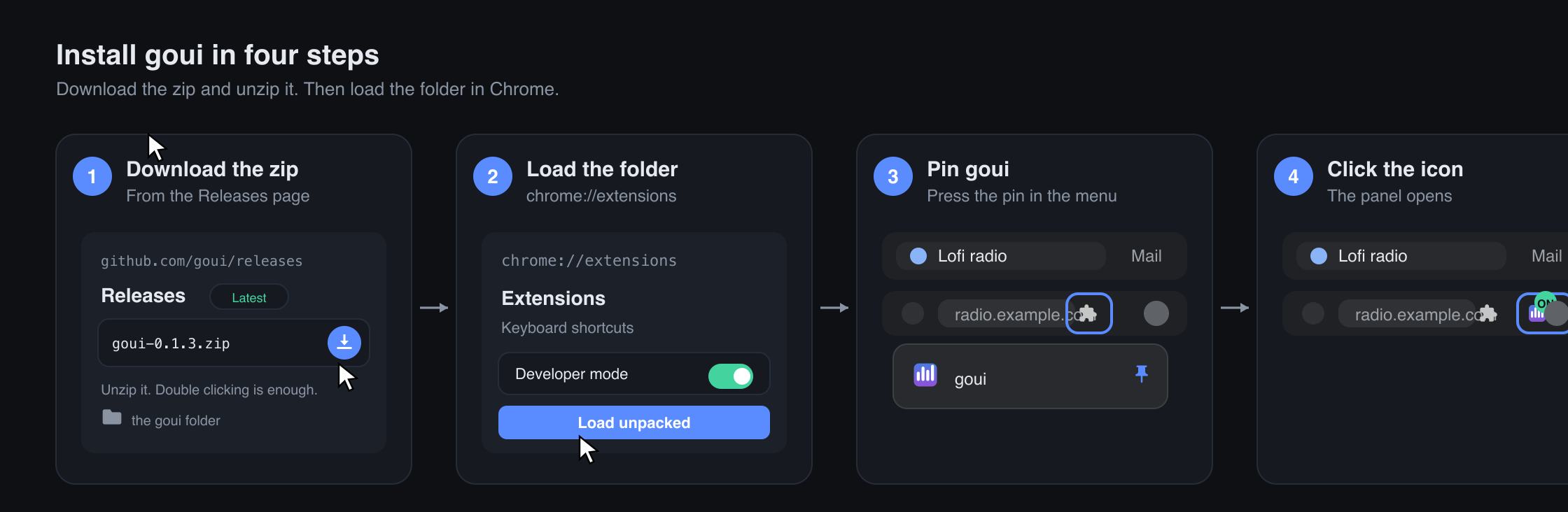
The README has a picture for each step, and a note about the Chrome warning on developer mode extensions.
Credits
goui stands on other people's work.
goui itself is under the MIT licence. The full notices name every part, and say which of them travel in the extension.