
goui
Free and open source. goui for the Mac needs Apple silicon and macOS 26 or newer. goui for the Mac has the questions people ask and the troubleshooting.
The panel's design, live. Drag a point, hold A/B, or pick a Set. The spectrum and the AutoEQ search results are samples, not real measurements.
goui for the Mac
The same EQ, for every sound the Mac plays. Not one tab, the whole Mac.
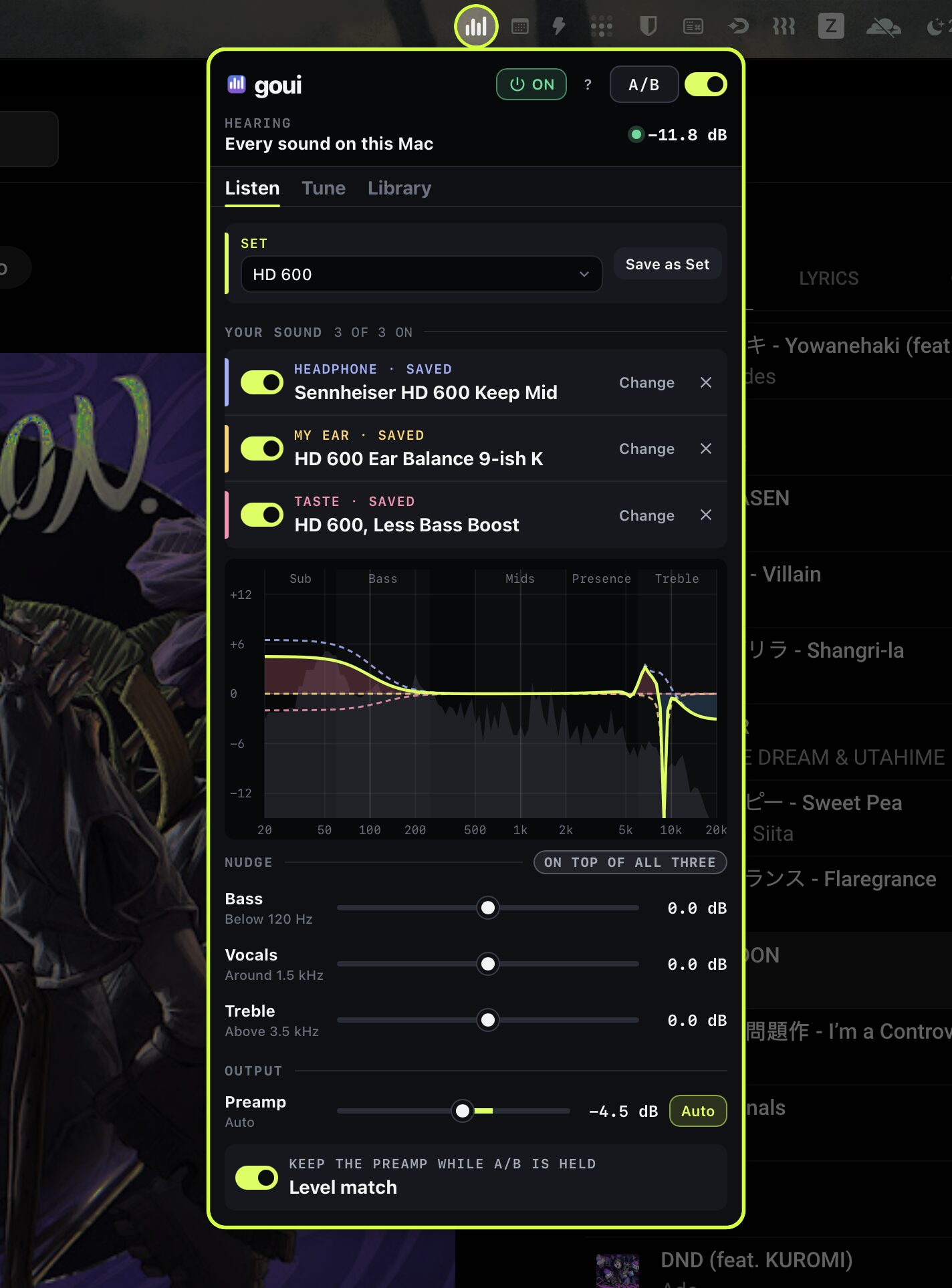
goui lives in the menu bar. One click opens the panel you know from the browser. It tunes Music, Spotify, a call or a game the same way, all at once.
The headphone, ear and taste layers carry over, with Bass, Vocals and Treble. So do the AutoEQ search and the live spectrum. The sound runs through the EQ on your Mac, in a native audio engine. goui keeps none of it.
Your Sets carry over too. Right-click the menu bar item to switch to another Set, with the
panel closed. goui set "name" does the same from Terminal.
It starts at login and comes back on its own after a crash. If the sound stops, it builds its audio path again.
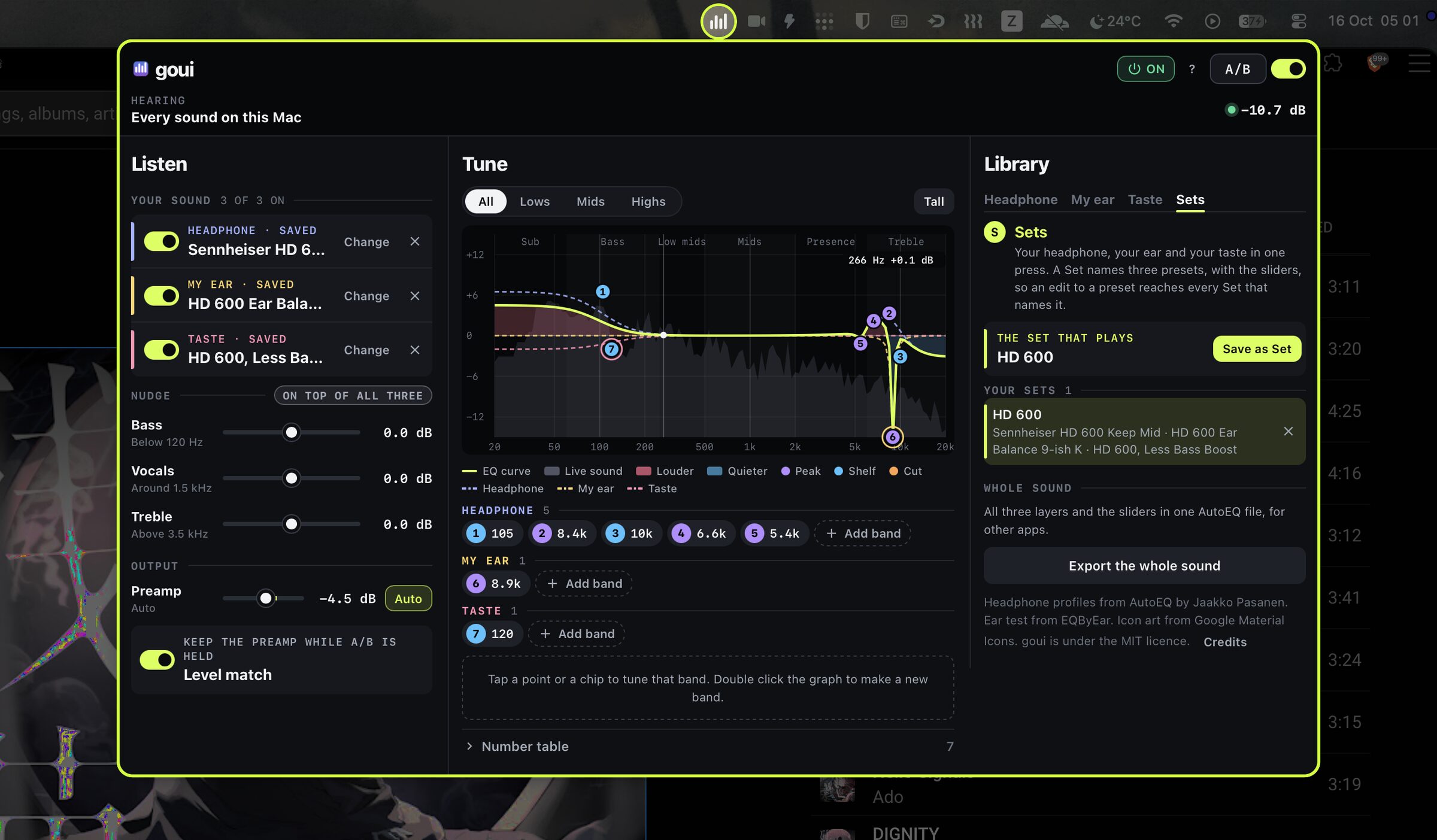
Wide panel
Widen it, and Listen, Tune and Library stand side by side, as in a wide Chrome side panel.
Install
One line in Terminal. No admin password. It checks your Mac and asks before it installs.
curl -fsSL https://raw.githubusercontent.com/wyndhamharyata/goui/main/mac/install.sh | shIt needs a Mac with Apple silicon and macOS 26 or newer. goui is not signed by Apple yet. An update of the engine asks to record the audio again. Read more before you install, such as what happens to Spatial Audio on AirPods.
How it works
Three layers, kept apart. One for the headphone, one for your ear, one for your taste.
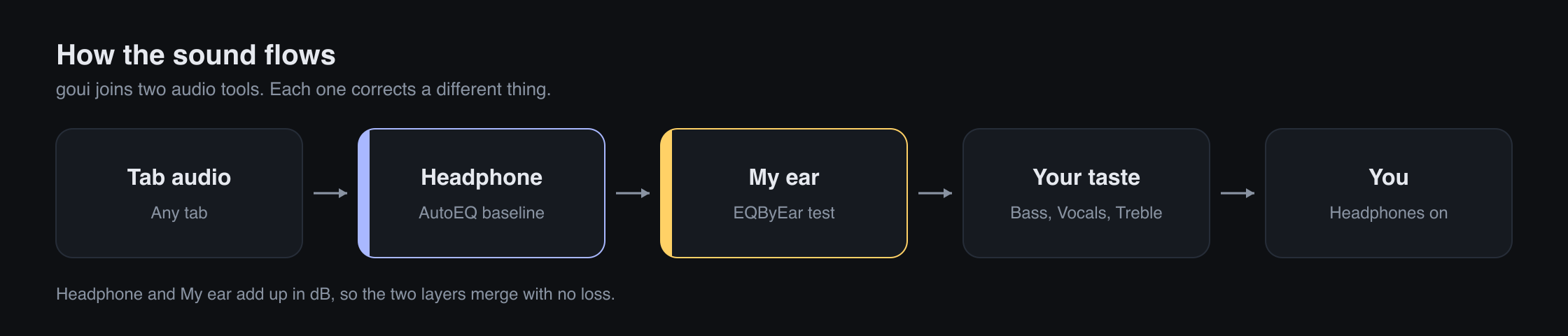
A headphone has its own colour. AutoEQ measures it and writes a profile that cancels it, so the headphone sounds neutral. That is the headphone layer.
Your hearing is your own too. No profile can know it. An EQByEar test measures what your ear still wants on top of the neutral sound. That is the ear layer.
Your taste is the third layer, with bands of your own for the sound you like on any headphone. Bass, Vocals and Treble nudge the sound on top of all three layers. Each layer has its own switch, so you can hear AutoEQ alone in one press.
The layers add up in dB, so the merge is exact. The preamp follows the largest boost, so the sound never clips.
A Set names one preset for each layer, with the sliders. Pick it on Listen. The whole sound comes back in one press. An edit to a preset reaches every Set that names it.
Install
One click from the Chrome Web Store. Chrome then keeps goui up to date.

Or load the folder by hand
Four steps, one time. No build, no account.
- Download the zip. Open the Releases page and press the newest zip. Unzip it.
-
Load the folder. Open
chrome://extensions, orbrave://extensions. Turn on Developer mode. Press Load unpacked and pick the goui folder. - Pin goui. Click the puzzle piece in the toolbar and pin goui.
- Click the icon. Open a page with sound and click the goui icon on it.
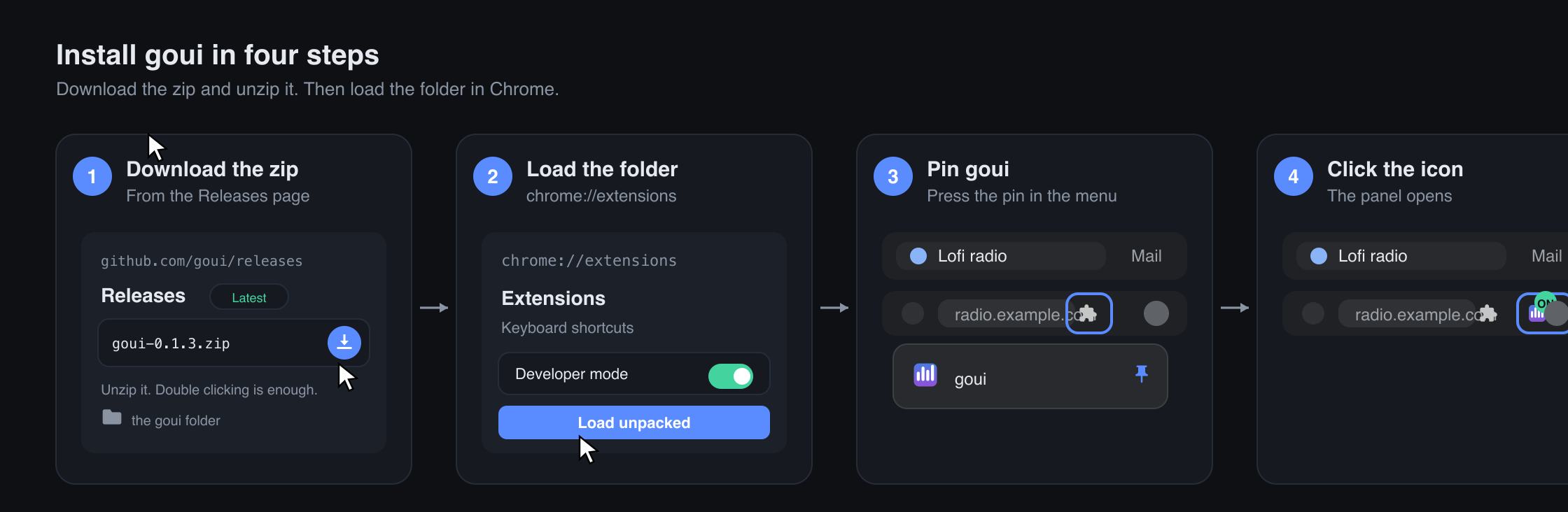
The README has a picture for each step. It also explains the Chrome warning about developer mode extensions.
Credits
goui stands on other people's work.
goui itself is under the MIT licence. The full notices name every part that ships in the extension.